2026-11-12 · 5 min #swift #macos #terminal
Why I built my own terminal autocomplete
Most of my terminal time is spent inside PhpStorm. For years one tool made that terminal noticeably better: a popup next to the cursor listing subcommands, flags, branches and files as I typed, each with a one-line description. I stopped looking up docker compose options and git flags, because they were already on screen.
That tool changed owners and names twice, and then stopped working in the one place I needed it.
Fig
I found Fig through a post on Twitter, as X was still called then. I tried it and soon couldn't work without it. You typed git ch, and a small window under the cursor offered checkout and cherry-pick, then the branch names. The suggestions came from completion specs: one file per tool describing its subcommands, options and arguments, with generators that run commands such as git branch to fill in live values. Fig open-sourced the specs as withfig/autocomplete, and the community wrote them for hundreds of tools.
I used it for a year or two, in Terminal, iTerm and JetBrains terminals alike. AWS acquired Fig in 2023 and shut the standalone app down in 2024.
Amazon Q, then Kiro CLI
The autocomplete moved into Amazon Q Developer CLI, and I didn't like it. The popup was mostly the same, but it now required an Amazon account and signed me out every so often, so I had to log in again in the middle of work. It also came with an AI chat I never used.
Later Amazon Q CLI was renamed Kiro CLI, and for me almost nothing changed. I still used only the autocomplete, it still needed the Amazon account and the occasional re-login, and sometimes the app had to be restarted before the popup came back.
I put up with all of that because the popup still worked. Then one day it stopped showing up in the PhpStorm terminal, and restarting didn't bring it back.
Why JetBrains terminals are the hard case
To open a popup next to the cursor, the app has to know where the cursor is on screen. In Terminal and iTerm the macOS Accessibility API reports the text caret position. The JetBrains terminal is drawn by the IDE's own Java UI and doesn't expose its caret through Accessibility.
Fig and Kiro CLI got around this with a hidden input method: macOS tells the active input method where text is being entered, so the caret position came for free. macOS 27 no longer lets an app enable a hidden input method that way, and the popup lost JetBrains terminals.
Figxit and Cue
I tried the alternatives. Figxit and Cue both set out to bring back the Fig-style popup. Their docs list the terminals they support, and JetBrains isn't on either list, but I tried them in PhpStorm anyway in case it worked unofficially. Neither showed anything.
I could have tried to add JetBrains support on top of one of them, but I didn't like the idea of building on someone else's app to get the one thing I needed.
Building TermGuru
When Fable 5.2 became available in Claude Code, I decided to write my own, with one requirement the others didn't meet: the JetBrains terminal comes first.
I knew exactly what the app had to do, so I described it in one detailed prompt and then improved it over a few more Claude Code sessions. There was no part I got stuck on.
The missing piece was the caret position, and the IDE already knows it. TermGuru ships a small JetBrains plugin that does one thing: when the app asks, it replies with the focused terminal's caret rectangle over a local unix socket. It never reads what's in the terminal. It is plain Java compiled against the installed IDE's own runtime, so building it needs no Gradle and no JDK download. Terminal and iTerm still go through the Accessibility API.
The rest of the app:
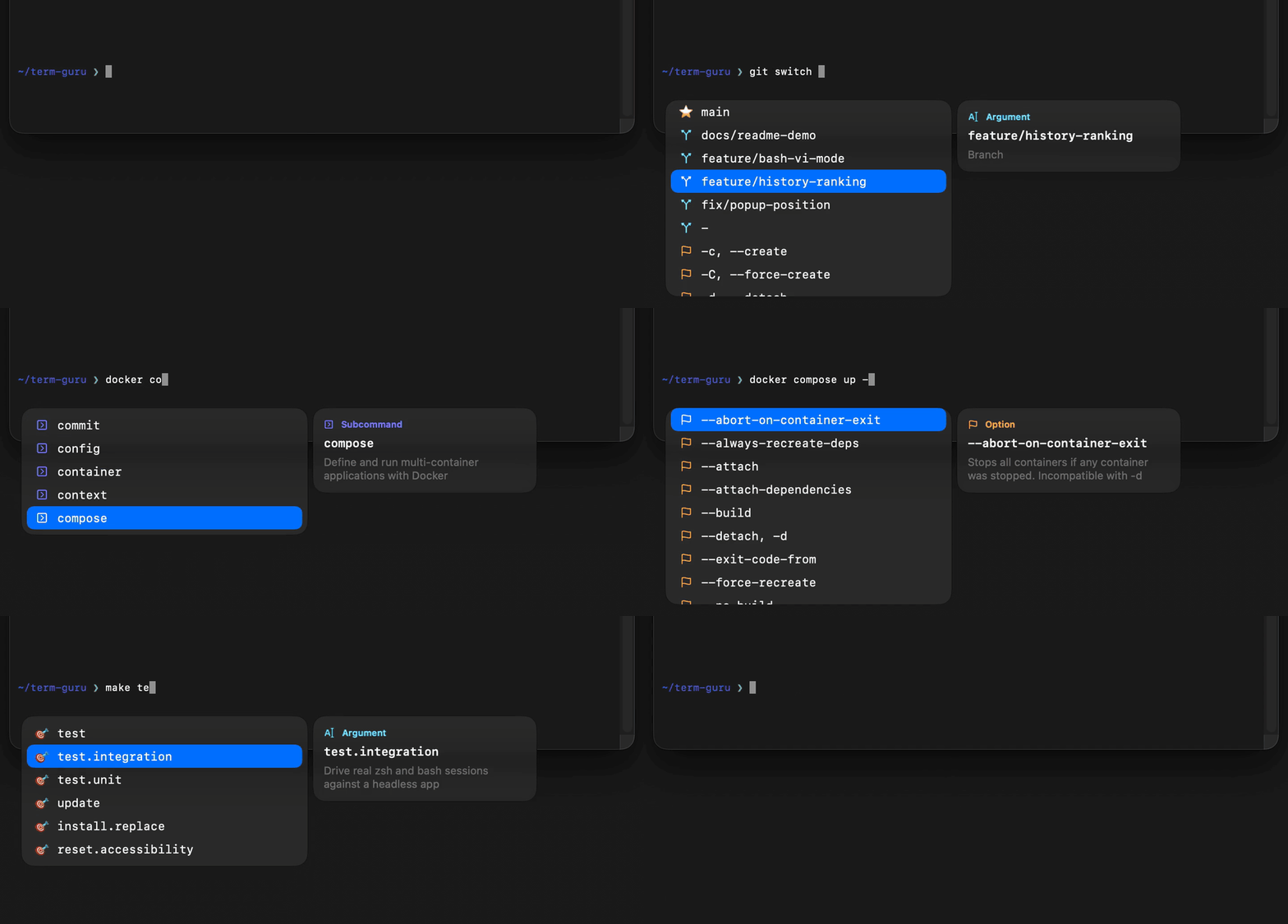
- Shell hooks for zsh and bash send the edit buffer to the app on every redraw and wrap Tab, Return, the arrows and Esc. While the popup is open, those keys go to the app first. When it is closed, the shell's own bindings run, so Tab without a popup is still your normal completion.
- The engine tokenizes the line left of the cursor and walks the same Fig specs, executed in JavaScriptCore, so the hundreds of existing specs work unchanged. It adds aliases, history, commands on
PATHand files. - The popup is a native Swift menu bar app with a Liquid Glass window on macOS 26.
- The
tgrCLI installs the hooks and the plugin, checks the setup withtgr doctorand installs updates.
It runs only on your Mac: no account, no telemetry, no chat. The network is used to download specs and icons at build time and to check the repository for new release tags.
Where it is now
I use it every day. Most of my work happens in the IDE next to Claude Code, and I run terminal commands there all the time.
Recent releases added tool, file and folder icons from Material Icon Theme, more of the Fig spec format (exclusiveOn, dependsOn, generator caching), file suggestions after redirections such as > and 2>, and vi mode in both shells.
There are no prebuilt downloads. You clone the repository and run make install, which builds the app on your Mac, adds one line to ~/.zshrc and ~/.bashrc, and installs the plugin into every JetBrains IDE it finds. If you used Figxit or Kiro CLI before, make install.replace also comments out their hook lines. Updates fast-forward the checkout to the newest release tag and rebuild.
It needs macOS 26 or newer, Xcode or its Command Line Tools, Node.js to fetch the specs, and zsh or bash 4+. Warp isn't supported, because it replaces the shell's line editor.
TermGuru is open source and free for anyone to use. The code is on GitHub.